A Claude Skill I built at Heights Digital to produce on-brand graphic materials across a range of client brands — social creatives, ad sets, presentations and marketing collateral.Claude Skill, который я собрала в Heights Digital для создания графики в фирменном стиле под разные клиентские бренды — креативы для соцсетей, рекламные наборы, презентации и маркетинговые материалы.
Each brand's identity is encoded into the skill, so output stays consistent and on-brand without a designer touching every asset.Айдентика каждого бренда закодирована в скилле, поэтому результат остаётся консистентным и в фирменном стиле без участия дизайнера в каждом макете.
- Per-brand kits — colour, type & logo rulesНаборы под каждый бренд — цвета, шрифты и правила логотипа
- Templates for social, ads & presentationsШаблоны для соцсетей, рекламы и презентаций
- Layout & composition patternsПаттерны вёрстки и композиции
- On-brand asset generation on demandГенерация ассетов в фирменном стиле по запросу
Client output is under NDA — examples can't be shown publicly.Клиентские материалы под NDA — публично показать нельзя.
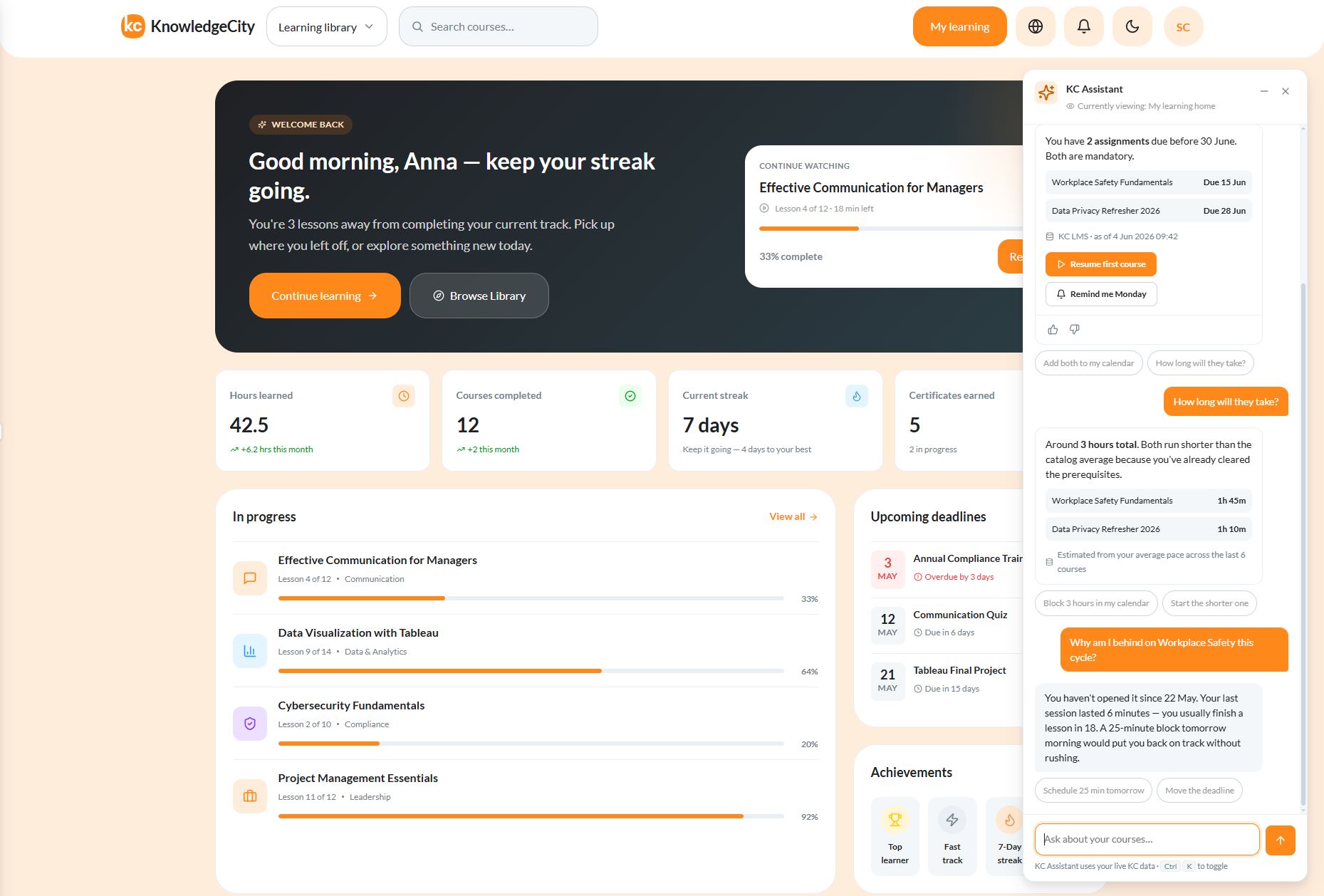
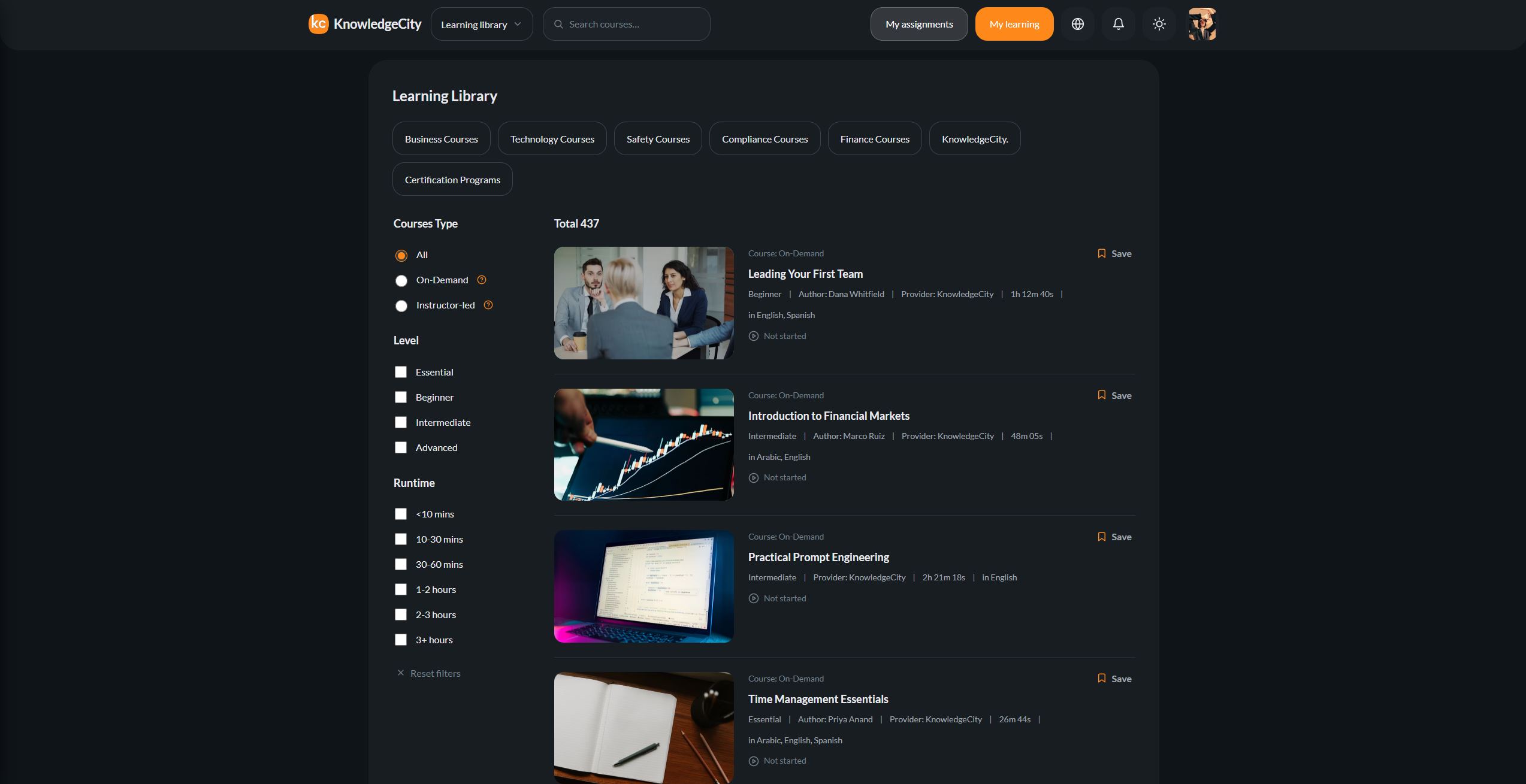
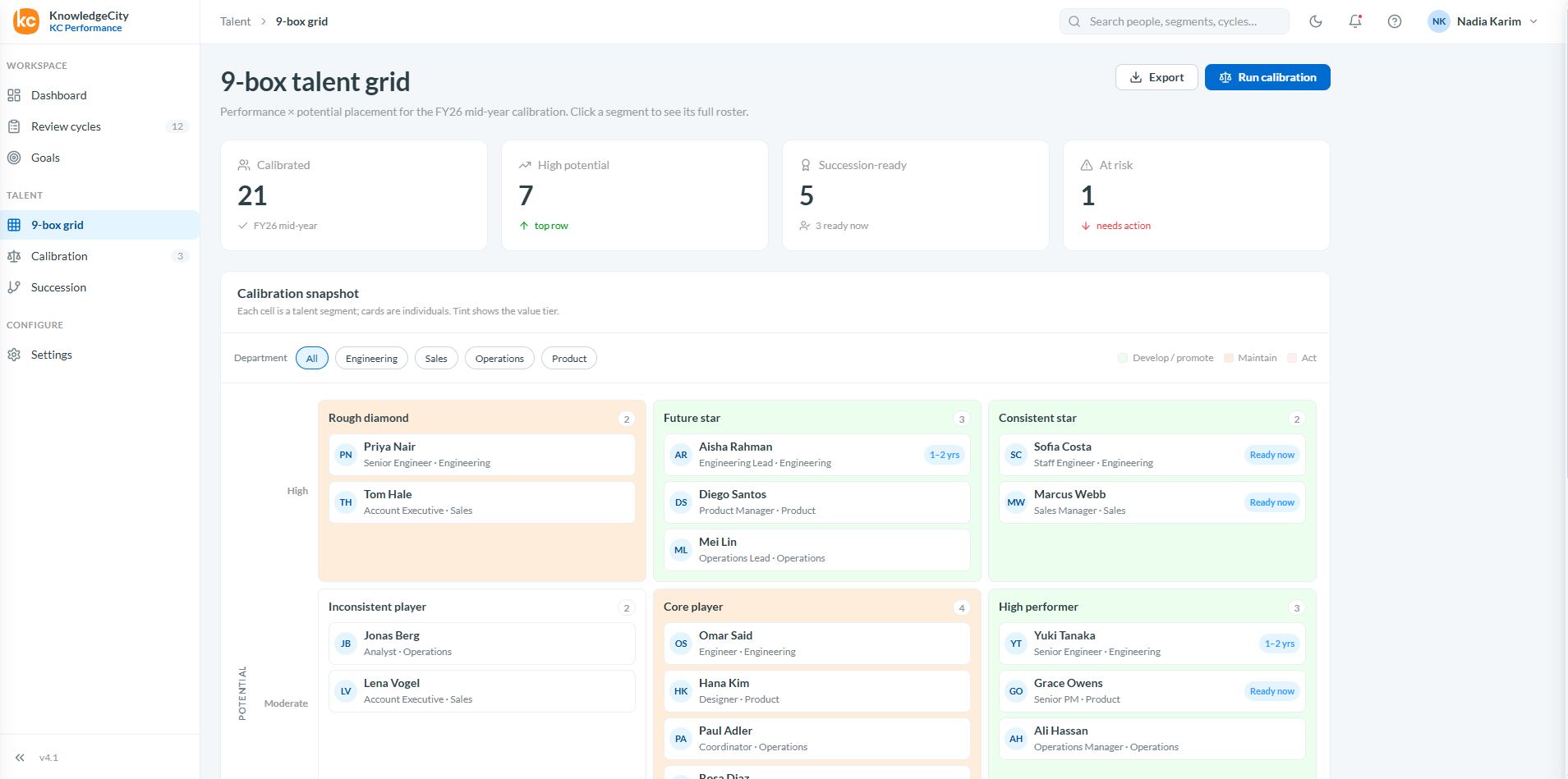
The foundation layer for KCDS — the unified design language across the entire KnowledgeCity ecosystem: 4 product suites (Learn · Comply · Grow · Hire) and 20+ products. Encoded as a Claude Skill so the system stops living only in Figma libraries and starts working as an active tool.Базовый слой KCDS — единый дизайн-язык всей экосистемы KnowledgeCity: 4 продуктовых набора (Learn · Comply · Grow · Hire) и 20+ продуктов. Закодирован как Claude Skill, чтобы система перестала жить только в Figma-библиотеках и начала работать как активный инструмент.
The piece of work I'm most proud of: it turns institutional design knowledge into something other teams can pick up and use, with or without a designer in the room.Работа, которой я горжусь больше всего: она превращает накопленные знания о дизайне в то, что другие команды могут взять и применять — с дизайнером в комнате или без.
- Four-layer architecture — Shell → Archetype → Product brand identity → Foundations (3 shells, 7 archetypes)Четырёхслойная архитектура — Shell → Архетип → Айдентика продукта → Основы (3 шелла, 7 архетипов)
- Foundation tokens, tenant white-label theming, light & dark, two density modesБазовые токены, white-label под бренд клиента, светлая и тёмная темы, два режима плотности
- 15 UX principles + audience-language guide + per-product briefs15 UX-принципов + гайд по языку под аудиторию + брифы под каждый продукт
- Failure catalogue — 102 catalogued production failures used as a regression corpusКаталог ошибок — 102 задокументированных продакшн-сбоя как корпус регрессий
- 20 canonical reference pages + 4 email templates (learner, admin, authoring, detail, auth, AI overlays)20 эталонных страниц + 4 шаблона писем (учащийся, админ, авторинг, детальная, авторизация, AI-оверлеи)
The native-mobile counterpart to /kc-design-foundations. Translates the universal KCDS language into iOS and Android — what stays, what adapts, and what's platform-owned.Нативно-мобильная пара к /kc-design-foundations. Переводит универсальный язык KCDS на iOS и Android — что остаётся, что адаптируется, а что принадлежит платформе.
It doesn't replace HIG or Material; it aligns the KC brand with them so the experience stays consistent between web and native without breaking platform expectations.Не заменяет HIG или Material; она согласует бренд KC с ними, чтобы опыт оставался единым между вебом и нативом, не ломая ожиданий платформы.
- Mobile foundations — type scales, colour, safe-area & motion tuned for nativeМобильные основы — шкалы шрифтов, цвет, safe-area и анимация под натив
- Touch & gesture vocabulary — tap, long-press, swipe, pull-to-refresh, pinch, dragСловарь касаний и жестов — тап, долгое нажатие, свайп, pull-to-refresh, пинч, перетаскивание
- Mobile UX rules — back semantics, nav state, sheet vs. modal vs. drawer, bottom tabsПравила мобильного UX — семантика «назад», состояние навигации, sheet vs modal vs drawer, нижние табы
- Native components — bottom sheet, tab bar, nav rail, sticky save bar (iOS + Android)Нативные компоненты — bottom sheet, таб-бар, nav rail, липкая панель сохранения (iOS + Android)
- Canonical full-screen mobile references with working interactivityЭталонные полноэкранные мобильные референсы с рабочей интерактивностью
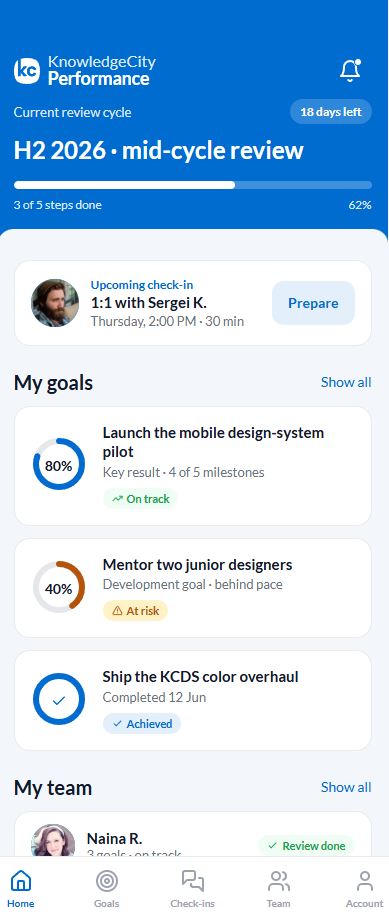
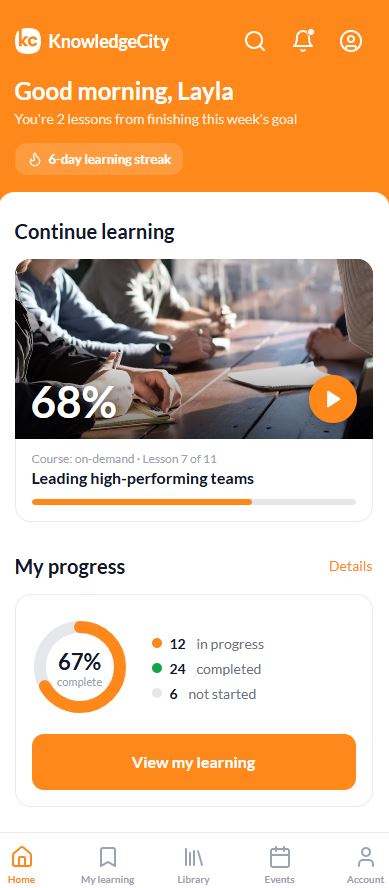
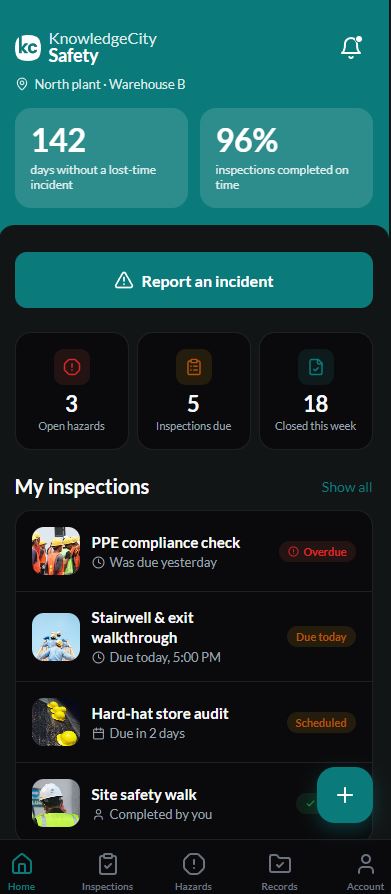
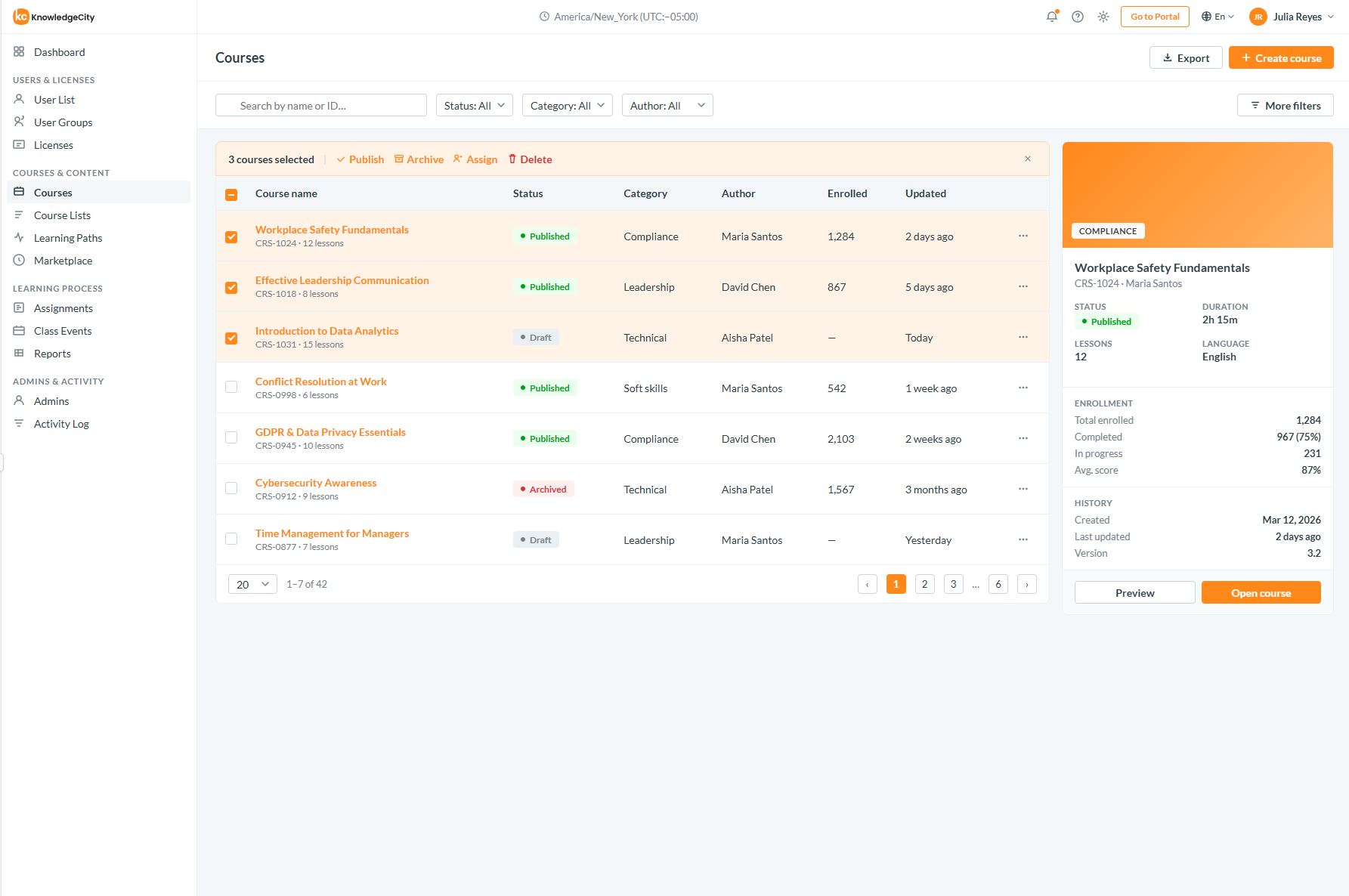
The first Claude Skill I shipped at KnowledgeCity — a complete design system encoded as an active tool. Covers Learner Portal 2.1 and LMS Admin, plus a Custom mode that adapts Portal styles to any client's brand colour.Первый Claude Skill, который я выпустила в KnowledgeCity — целая дизайн-система, закодированная как активный инструмент. Покрывает Learner Portal 2.1 и LMS Admin, плюс режим Custom, адаптирующий стили портала под фирменный цвет любого клиента.
Built so engineers can produce KC-compliant UI without a designer reviewing every screen.Сделан так, чтобы инженеры создавали UI по стандартам KC без ревью каждого экрана дизайнером.
- Two complete product styles — Portal 2.1 (
ki-*) and LMS Admin (lms-ui-kit-react)Два полных продуктовых стиля — Portal 2.1 (ki-*) и LMS Admin (lms-ui-kit-react) - Custom brand mode — Portal layout + a derived palette from any client primary colourРежим кастомного бренда — вёрстка портала + палитра, выведенная из основного цвета любого клиента
- Foundation tokens — colour, typography, spacing, radius, shadowsБазовые токены — цвет, типографика, отступы, радиусы, тени
- Exact component specs — buttons, inputs, tabs, modals, tables, navigationТочные спецификации компонентов — кнопки, поля ввода, табы, модалки, таблицы, навигация
- Copy-paste layout shells + a mandatory pre-build protocolГотовые к вставке layout-оболочки + обязательный пре-билд протокол